
Account statement and VAT
The sales summary and the account statement columns explained, payment processing fees and their VAT, and your responsibility for remitting VAT.
The Account Statement page shows every sale on your store in detail: the sale price, the VAT you collected, the payment fee and its VAT, and what is due to you. You find it in the side menu as Account Statement.
The sales summary
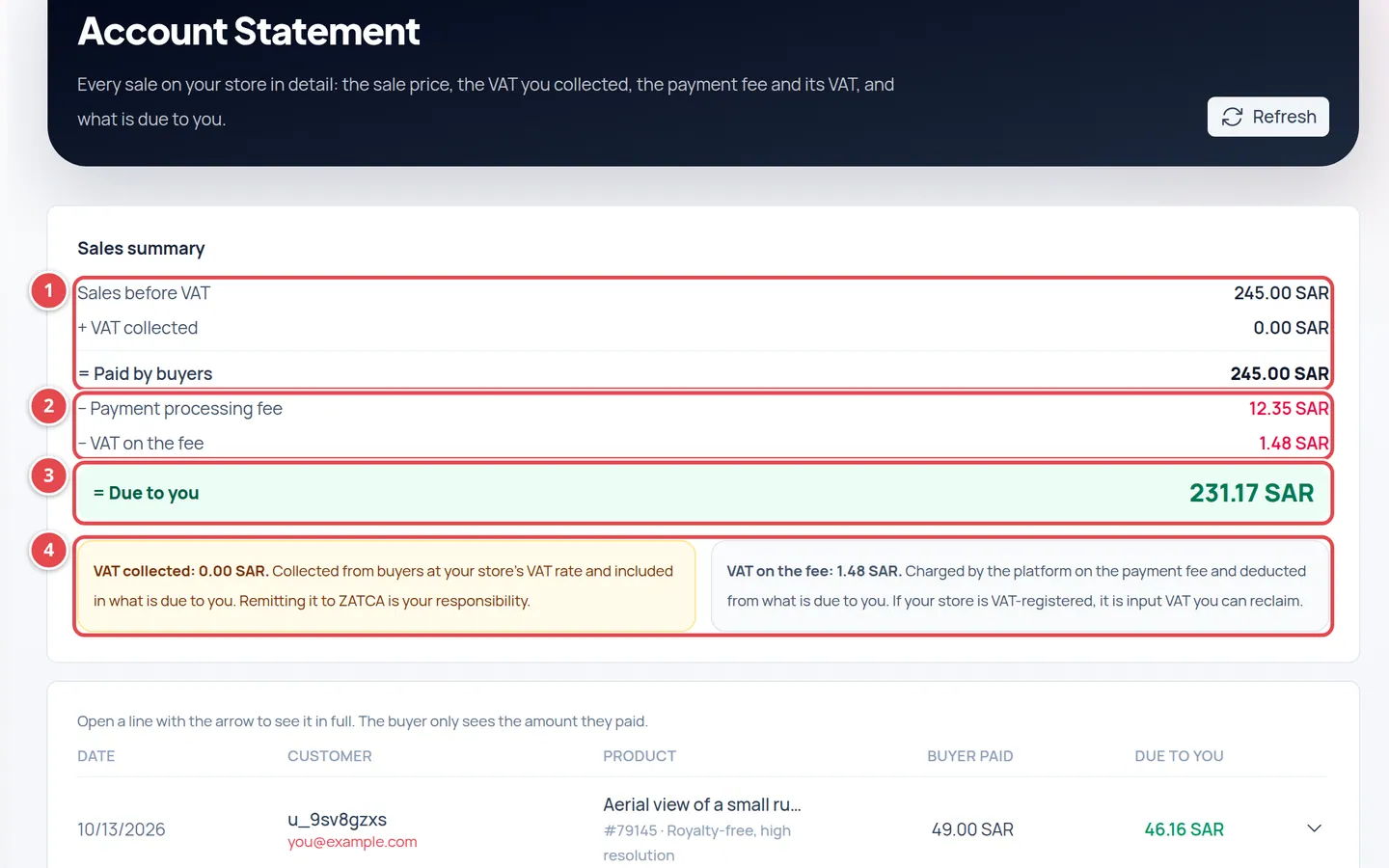
- From Sales before VAT to Paid by buyers.
- What is deducted: the Payment processing fee and the VAT on the fee.
- Due to you.
- The two VAT notes: what you collected from buyers, and the VAT on the fee.
The summary is a sum read from top to bottom, and each figure is the total of the lines in the table:
| Line | What it means |
|---|---|
| Sales before VAT | The prices of what you sold, before VAT. |
| + VAT collected | The VAT buyers paid at your store's VAT rate. |
| = Paid by buyers | What actually left the buyers' cards. |
| − Payment processing fee | The card processing fee the platform takes. |
| − VAT on the fee | VAT the platform charges on the fee itself. |
| = Due to you | What is left for your store after the deductions. |
The table columns
| Column | What it shows |
|---|---|
| Date | The day of the sale. |
| Customer | The buyer's name and email. |
| Product | The product number and licence type, or Package and its number when the sale was a download package. |
| Buyer paid | The price including VAT. |
| Due to you | What is left for you from this sale. |
Press the arrow at the end of a line to see the sale in full: every step from the sale price to what is due to you, the VAT rate, and Card · payment #. The buyer only sees the amount they paid.
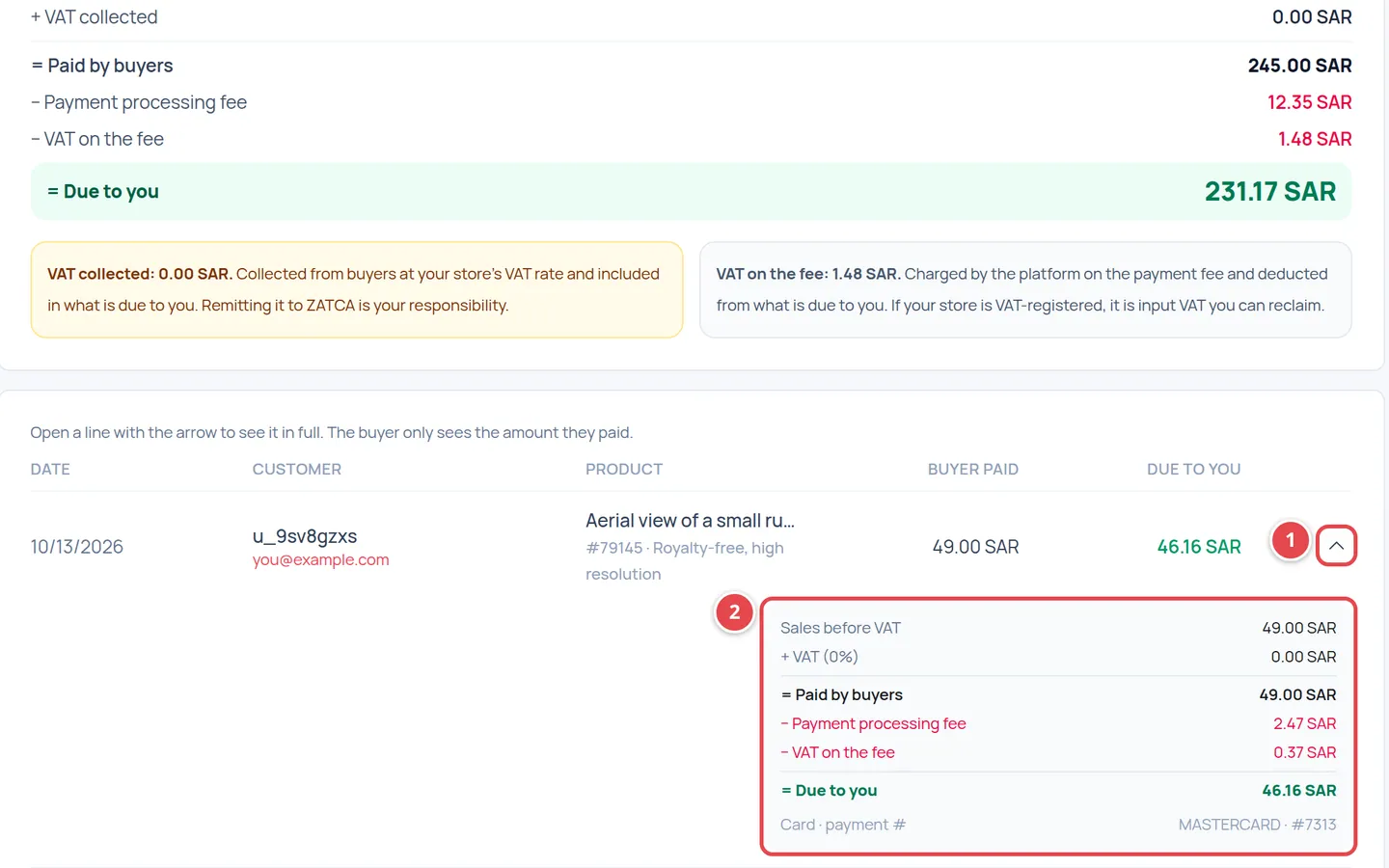
- The arrow button that opens the details.
- The amounts in order, from the sale to Due to you.
The processing fee and its VAT
The payment processing fee is taken on Paid by buyers (the price including VAT), because the card gateway takes its fee on the whole charge. The fee's percentage and fixed amount are set by your subscription plan.
An example with made-up figures: a sale of 100 SAR plus 15 SAR VAT, so the buyer paid 115 SAR. If your plan's fee is 3% with no fixed amount, the fee is 3.45 SAR, its VAT at 15% is 0.52 SAR, and Due to you is 111.03 SAR.
Who remits the VAT?
This page shows the figures only and does not replace your tax adviser. Check registration and returns with them.
Who can see the account statement?
The owner and admins only, because it shows sales and buyer details. See Team and roles.
Why don't I see a recent sale?
A sale is recorded once the payment is confirmed. Press Refresh after a moment.
Do package sales show here?
Yes, as a Package line with its number. See Prepaid download packages.