
Audit log
What the audit log records about your store, how to read each line, who can see it, and how long entries are kept on your plan.
The Audit Log shows what changed in your store, who changed it, and when. It helps when you want to know who edited a setting or a page, or to follow your team's work.
Reading the log
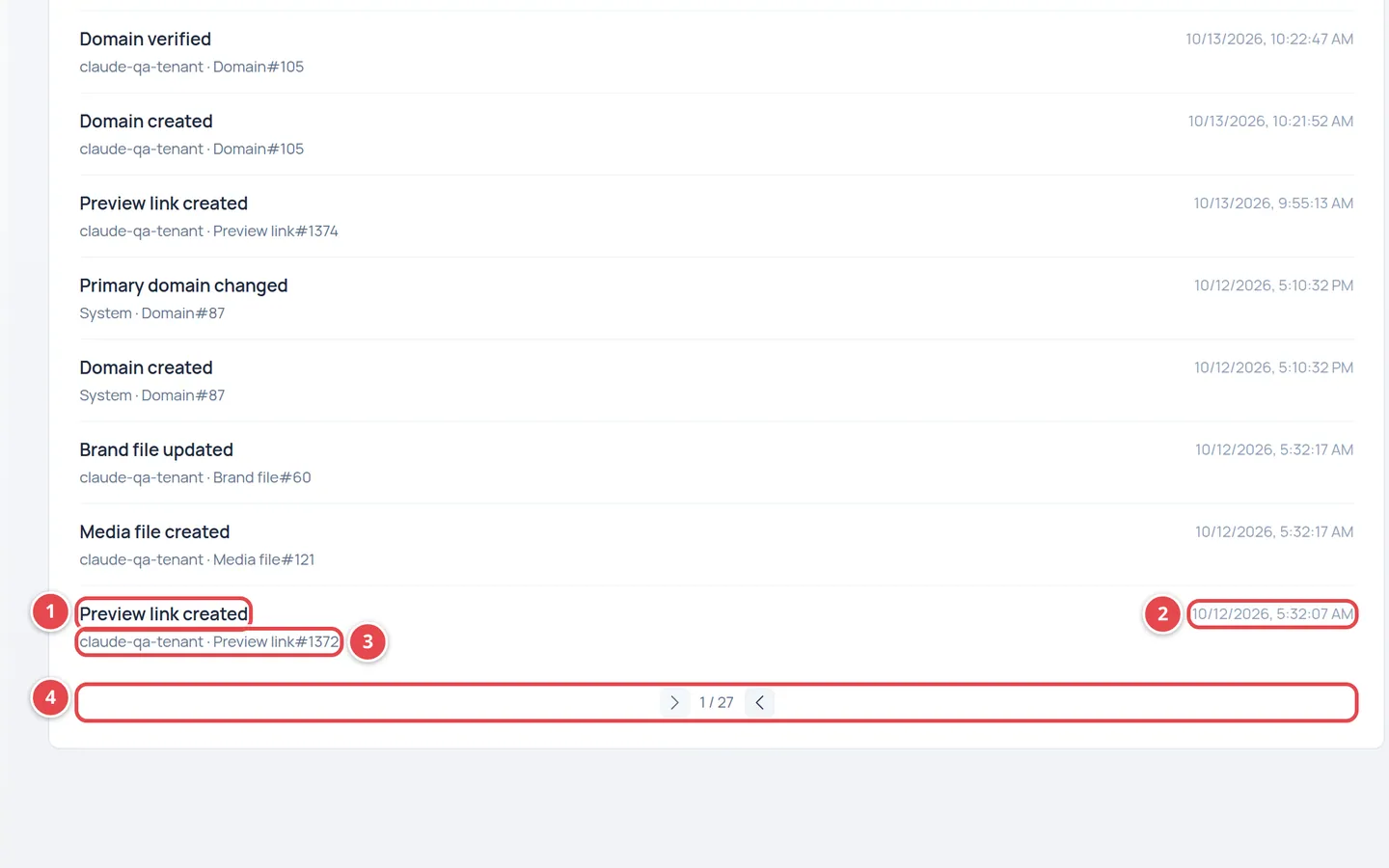
- The action that happened.
- The date and time.
- Who did it, and the item type and number.
- Paging between pages.
| Part | What it means |
|---|---|
| Action | The action's name as the system records it, such as a setting change or a page publish. |
| Date | When it happened, in your device's time zone. |
| Actor | The user's name or email. If you see Unknown, the system did it or the person is not known. |
| Item | The type and number of what changed, such as a page or a product. |
The newest entries are at the top, and the log is split into pages. Use the two arrows at the bottom to move between pages, and Refresh to fetch the latest actions. There is no search or filter on this page yet.
How long entries are kept
Your plan sets how many days the store team's activity log is kept. Every day, entries older than that are deleted. If your plan has no limit, the log is kept forever.
Who can see the audit log?
The owner and admins only. See Team and roles.
Can I get back an entry that was deleted from the log?
No. Entries deleted at the end of the retention period cannot be recovered.