
Profile and public name
Your display name, bio and photos, and where to change the name buyers see.
You have two profiles: your workspace profile, which you see in your workspace, and your main store profile, which buyers see next to your work. This article explains both, and where to edit what the public sees.
Your workspace profile
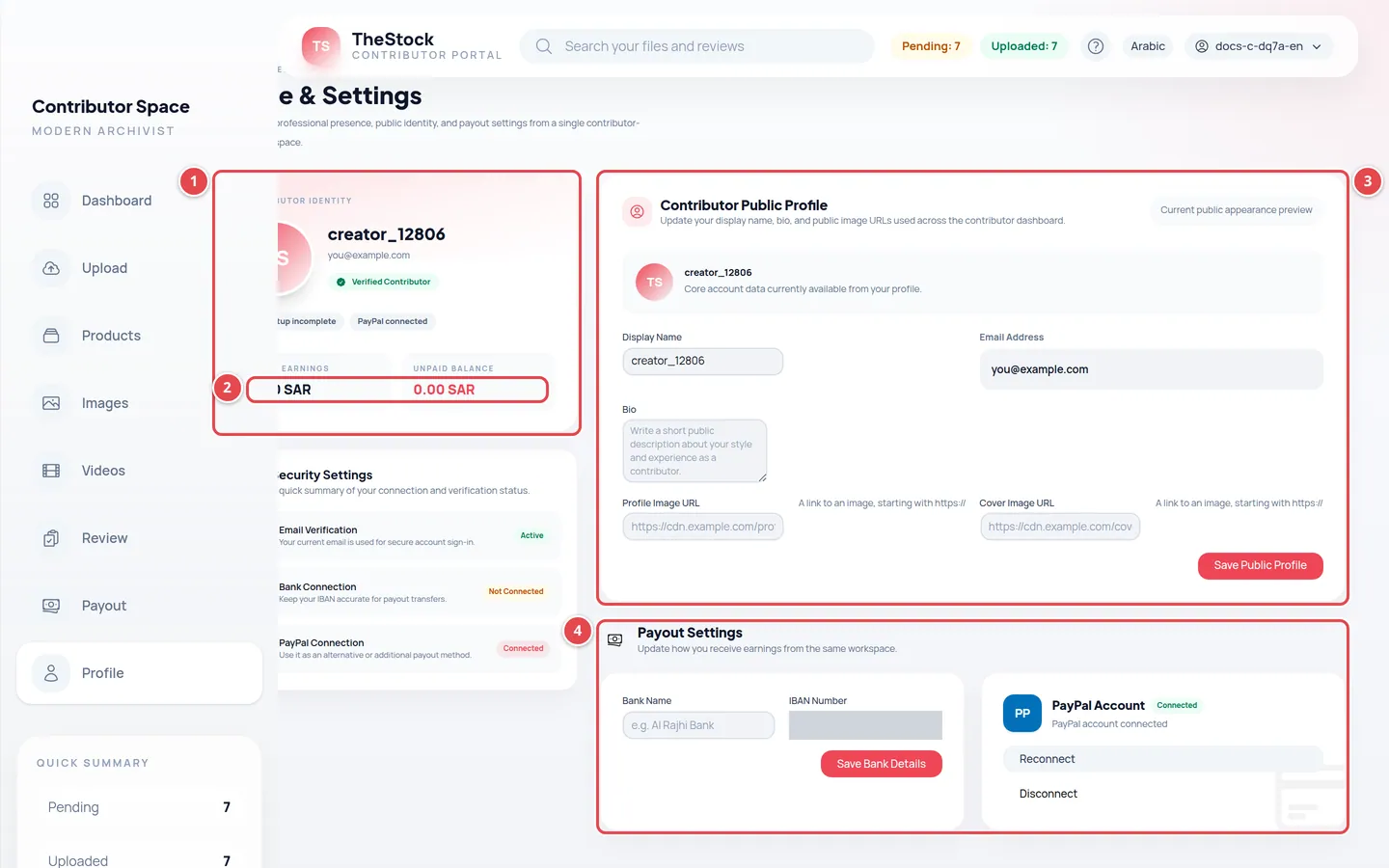
- The Contributor Identity card: your name and the bank and PayPal status.
- Total Earnings and Unpaid Balance.
- The Contributor Public Profile form.
- Payout Settings.
Open Profile from the menu. In the Contributor Public Profile section you edit:
| Field | What to enter |
|---|---|
| Display Name | The name shown to you in the workspace (at least 3 characters). |
| Bio | A couple of lines about your specialty and style. |
| Profile Image URL | A direct link to an image published online. |
| Cover Image URL | A direct link to a cover image published online. |
Press Save Public Profile. You see Public profile updated successfully. Both images here are links, not uploads from your device.
The same page has a Payout Settings section for adding your bank account or linking PayPal. Details in Earnings and payouts.
Changing your public name in the store
Sign in to the main store
Sign in to The Stock main store with the same email.
Open your profile
Open Profile from your account menu.
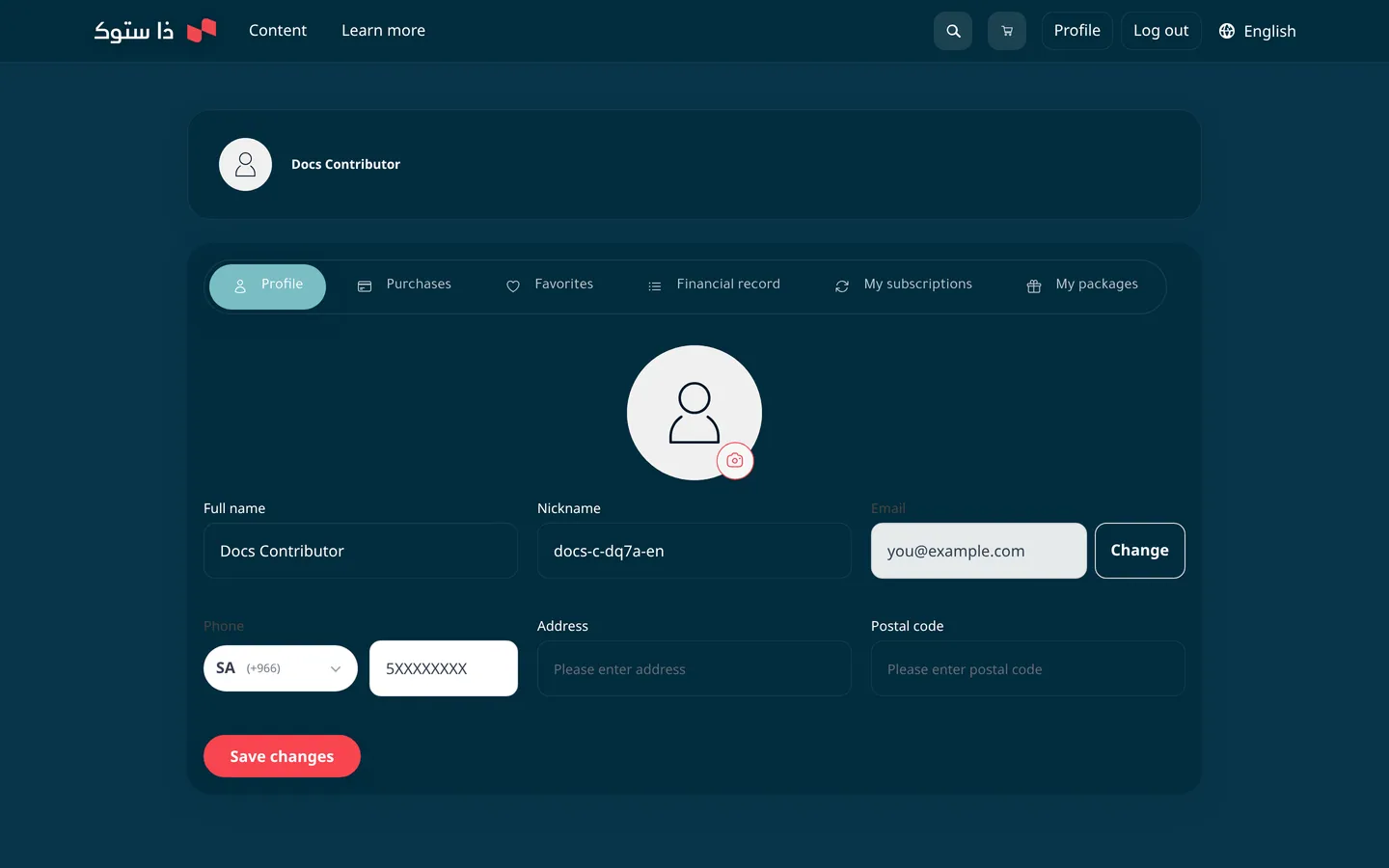
Edit “Nickname”
This is the name buyers see. It must be at least 3 characters, use only letters, numbers, hyphens (-) and underscores (_) with no spaces, and not be taken by another account.
Change your photo if you like
The account photo here is the public photo next to your work: JPG or PNG up to 5MB.
Save
Press Save changes.
I changed my display name in the workspace and it did not change in the store. Why?
Because the Display Name in the workspace is separate from the Nickname in the store. Change your nickname from your profile on the main store.
Can I change my email?
Yes, from your profile on the main store. A confirmation code is sent to the new address before it takes effect; you then sign in to the workspace with the new email.